

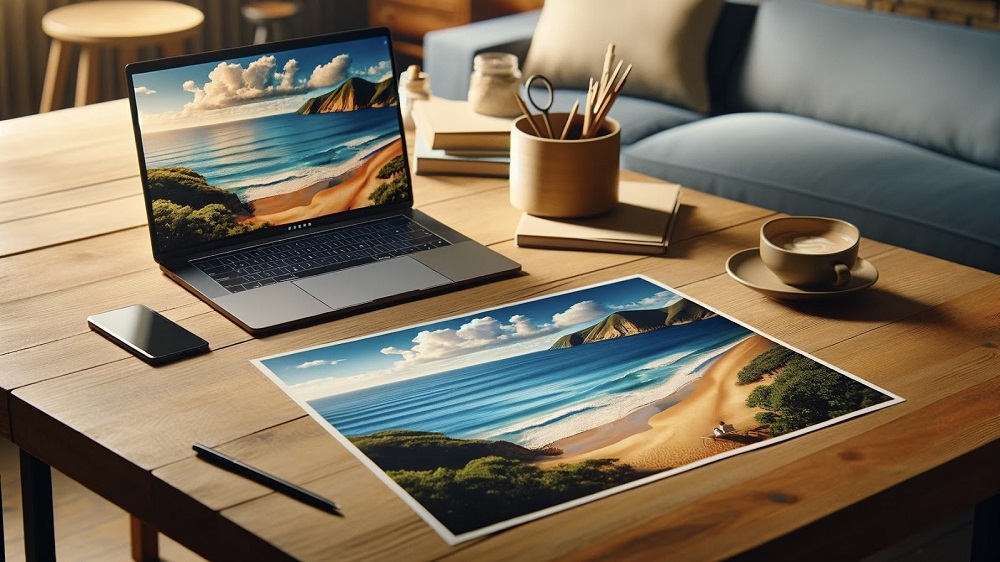
In an era where thousands of images are captured daily on smartphones and digital cameras, the vast majority of photographs remain trapped behind screens. While digital storage offers unprecedented convenience, it also exposes precious memories to unique vulnerabilities, including accidental deletions, cloud subscription lapses, and rapid technology obsolescence. Transforming these digital files into physical prints is the most reliable way to ensure your family history survives for generations.
Printing and preserving digital photos requires moving beyond basic home office printing to understand archival sciences, color management, and material longevity. A high-quality print requires a precise combination of proper file preparation, professional printing technologies, stable substrate materials, and controlled storage environments. By applying these professional archival standards, you can convert fleeting digital data into tangible heirlooms that resist fading, yellowing, and deterioration over a century or more.
Prepare Your Digital Files for Flawless Printing
A physical print can only look as good as the digital file used to create it. Printing introduces physical variables that do not exist on a backlit glass screen, making careful file preparation a mandatory first step.
Maximize Image Resolution and Pixel Density
The most common mistake when printing digital images is using a file with insufficient resolution, resulting in a blurry, pixelated physical print. Computer and smartphone screens display images perfectly well at lower densities, but printing presses require significantly more data.
-
The Archival Standard: Aim for a pixel density of three hundred pixels per inch, commonly abbreviated as PPI, for standard-sized prints meant to be viewed up close.
-
Calculate Maximum Print Size: To determine how large you can safely print an image, divide the total pixel dimensions of your file by three hundred. For example, a digital image that measures three thousand pixels by four thousand five hundred pixels can be printed flawlessly up to ten inches by fifteen inches.
-
Large Format Exception: For massive wall prints or billboards meant to be viewed from several feet away, you can drop the pixel density to one hundred fifty or two hundred PPI without a perceptible loss in visual quality.
Understand the Dynamic Range of Paper
Screens display images using transmitted light, meaning colors are vibrant and backlighting can make shadows look deep and luminous. Paper relies on reflected ambient light, which naturally reduces the contrast range. When preparing a file for print, use photo editing software to slightly boost the shadow details and increase the overall mid-tone brightness. This adjustment prevents the dark areas of your photograph from muddying together into solid black blocks once ink hits the paper.
Convert to the Correct Color Profile
Digital cameras and screens primarily utilize the sRGB color space, which is optimized for web viewing. While most consumer printing labs accept sRGB files, professional archival labs frequently prefer the Adobe RGB color space, which contains a significantly wider gamut of green and cyan tones. Check the exact specifications of your chosen print vendor and export your final files in the requested color profile to prevent unexpected, muddy color shifts in the final physical product.
Select the Optimal Printing Technology and Lab
The mechanism used to apply color to a surface dictates both the initial visual depth and the long-term stability of the photograph. Modern printing primarily relies on two distinct professional methodologies.
Chromogenic Prints
Often referred to as C-prints, chromogenic printing is the traditional photographic process adapted for the digital age. Instead of using ink, a digital laser projects the image onto light-sensitive, silver-halide photographic paper, which is then run through a series of chemical developer baths. C-prints are highly prized for their smooth tonal transitions, true continuous-tone gradients, and classic organic appearance. They are exceptionally durable when protected inside traditional photo albums.
Pigment-Based Inkjet Prints
Also known as giclee printing, professional pigment-based inkjet printing utilizes specialized wide-format machines that spray microscopic droplets of ink onto fine art paper. It is critical to ensure your lab uses pigment-based inks rather than cheap, dye-based inks.
-
Dye-Based Inks: Made of liquid colorants dissolved in a fluid medium. They offer vibrant colors initially but break down rapidly when exposed to sunlight, often fading within five to ten years.
-
Pigment-Based Inks: Made of microscopic, solid particles of mineral powder suspended in a carrier liquid. These solid particles are highly resistant to ultraviolet radiation and environmental pollutants, allowing them to remain stable for up to two hundred years under proper display conditions.
Evaluate Archival Paper Stocks and Substrates
The paper you choose serves as the physical anchor for your image. Using cheap, acidic paper will guarantee that your photographs will turn yellow and brittle within a few decades, regardless of the ink quality used.
Demand Acid-Free, Alpha-Cellulose, or Cotton Rag Papers
Standard copy paper and cheap consumer photo papers contain lignin, a natural component of wood pulp that produces acid as it ages. This acid breaks down the paper fibers and ruins the image colors. True archival papers are explicitly labeled as acid-free and buffered with calcium carbonate to neutralize ambient environmental acids. For the ultimate longevity, select one hundred percent cotton rag papers, which are naturally lignin-free and offer a luxurious, tactile texture that handles heavy ink loads without warping.
Match the Finish to the Photographic Subject
The texture of your paper alters the emotional tone and clarity of the photograph.
-
Glossy Finish: Features a highly reflective coating that maximizes sharpness, contrast, and color saturation. This is ideal for high-action sports photography or modern urban landscapes, though it is highly susceptible to fingerprint smudges and glare under direct lighting.
-
Matte Finish: Utilizes a smooth, non-reflective surface that scatters light. It is exceptional for black-and-white portraits, historic architecture, and moody landscapes, providing an elegant, classic appearance that ignores fingerprints.
-
Luster or Satin Finish: The preferred middle ground for family portraits and wedding albums. It offers the color richness of glossy paper combined with the low-glare properties of a matte finish.
Implement Professional Framing and Display Techniques
Exposing a physical print to an uncontrolled open environment will accelerate its degradation. Framing a photograph requires specific barrier materials to insulate the print from light, moisture, and physical friction.
Use Archival Matting Boards
Never allow a printed photograph to press directly against the glass of a frame. Changes in ambient humidity can cause the emulsion layer of the photo to fuse permanently to the glass, ruining the print if you ever attempt to remove it from the frame. Always use an acid-free, alpha-cellulose mat board to create a structural air gap between the image surface and the glass. Secure the photo to the backing board using archival linen hinging tape rather than standard cellophane tape, which leaves a permanent, oily yellow stain.
Invest in Ultraviolet Filtering Glass
Sunlight and standard fluorescent indoor lighting emit ultraviolet, or UV, rays that permanently bleach photo pigments over time. When framing cherished images, request conservation-grade glass or acrylic that blocks at least ninety-nine percent of UV rays. Even with UV-filtering glass installed, avoid hanging important historical photographs in areas that receive direct, blinding afternoon sunlight.
Standardize Long-Term Storage Environments
For prints that are not actively on display, storage conditions dictate whether the physical material will survive to be viewed by future generations.
Maintain Strict Climate Controls
The ideal storage environment for physical photographs is a cool, dry, and dark space. High temperatures accelerate the chemical breakdown of photo emulsions, while high humidity encourages the growth of destructive mold spores and causes paper fibers to warp. Avoid storing your photo boxes in uninsulated attics or damp crawl spaces, which experience extreme seasonal temperature swings. Instead, store your archives in a climate-controlled interior closet or under a bed in the main living area of the home.
Utilize Certified Photographic Activity Test Containers
When buying boxes, albums, or plastic sleeves for long-term storage, verify that the products have successfully passed the Photographic Activity Test, commonly abbreviated as the PAT. This international standard ensures that the storage materials will not chemically react with the photographic silver, inks, or paper bases. Avoid using vintage magnetic photo albums with sticky adhesive pages, or cheap plastic storage bins made of polyvinyl chloride, as these materials release harmful gases that destroy images rapidly.
Frequently Asked Questions
What is the difference between DPI and PPI in photographic printing?
PPI, or pixels per inch, refers strictly to the digital resolution of an image file viewed on a screen or sent to a printer. DPI, or dots per inch, refers to the physical density of ink droplets that a mechanical printer deposits onto a sheet of paper. While a digital file needs a minimum of three hundred PPI for a clean print, a professional inkjet printer might lay down those pixels at a resolution of one thousand two hundred or two thousand four hundred DPI to create smooth color blends.
Can I safely use a standard home office inkjet printer for archival family photos?
Standard home office printers are typically optimized for documents and use cheap, dye-based inks that fade rapidly within a few years when exposed to room light. While you can use them for temporary, casual prints, they are not suitable for creating long-lasting archival family photos. For heirloom preservation, it is more cost-effective to utilize a professional lab equipped with dedicated pigment-based printing systems.
What are the best plastic sleeve materials for storing un-framed prints?
When archiving individual loose prints inside binders or boxes, look for protective sleeves made exclusively from chemically inert plastics, such as uncoated polypropylene, polyester, or polyethylene. These materials do not contain harmful plasticizers or acids, and they will not stick to the face of your prints over time. Completely avoid any sleeves made from polyvinyl chloride, often labeled as PVC, which smells like new plastic and degrades photos rapidly.
How do I safely clean dust and fingerprints off an old physical print?
To remove loose dust, use a soft, oil-free cosmetic brush or a specialized rubber bulb air blower designed for camera lenses. Never wipe a print with a standard dry cloth, as tiny dust particles can scratch the delicate surface emulsion. For stubborn fingerprint oils on modern plastic-coated or glossy papers, gently blot the spot using a clean, dry microfiber cloth, moving in slow circles from the center outward without applying heavy downward pressure.
Why do some black-and-white prints develop a bronze or metallic sheen over time?
This visual phenomenon is known as bronzing or silvering out. It typically occurs on older silver-halide or poorly processed pigment prints when the silver particles or heavy ink pigments migrate to the very surface of the paper over decades of exposure to ambient moisture and industrial air pollutants. While it indicates age, it can be minimized by storing prints in low-humidity environments inside certified archival enclosures.
Is it necessary to save my original digital RAW files if I have high-quality physical prints?
Yes, you should absolutely preserve your original digital RAW or high-resolution JPEG files even after creating physical prints. Physical prints can still be lost to home fires, floods, or structural accidents. Maintaining a digital backup strategy, such as storing your files across two separate local external hard drives and one secure cloud backup service, ensures you can always recreate the physical print if disaster strikes the physical archive.

Comments are closed.