

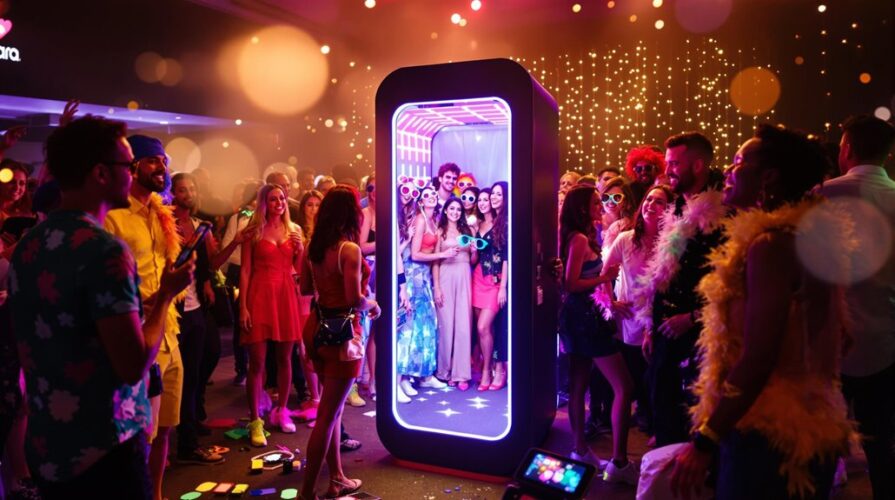
Photo booths have evolved from a simple party novelty into a central entertainment hub for weddings, corporate events, milestone birthdays, and brand activations. A well-designed photo booth does more than just capture images; it drives guest engagement, breaks the ice, and provides participants with a tangible keepsake that anchors their memories of the event. Creating an experience that feels both seamless and exhilarating requires a strategic blend of technology, aesthetics, and user-centric design.
To transition a standard photo booth setup into an unforgettable, interactive activation, event planners and hosts must look beyond the basic camera-on-a-tripod model. Every element, from the backdrop texture to the digital sharing interface, contributes to the overall user experience. This guide breaks down the essential components and creative strategies required to build an engaging, high-energy photo booth setup.
1. Defining the Concept and Theme
An interactive photo booth should never feel like an afterthought. It must serve as an extension of the event’s broader narrative. A mismatched booth can disrupt the visual flow of a venue, whereas a cohesive design enhances the atmosphere.
Aligning with Event Aesthetics
Before purchasing props or booking equipment, establish the visual identity of the event. A corporate gala requires a sleek, sophisticated approach, perhaps utilizing a minimalist open-air booth with a monochrome backdrop and high-fashion glam lighting. Conversely, a retro-themed birthday party thrives on vibrant neon signs, vintage furniture, and physical props that evoke nostalgia.
Storytelling Through Backdrops
The backdrop serves as the canvas for every photograph. Plain tension-fabric backdrops are functional, but multi-dimensional surfaces invite interaction. Consider utilizing:
-
Living Walls: Faux or real greenery interlaced with neon signage or floral arrangements.
-
Textured Materials: Velvet drapes, geometric wood panels, or metallic fringe that catches the light.
-
Immersive Sets: A corner setup designed to look like a vintage living room, a futuristic space station, or a stylized cafe, allowing guests to step into a different world.
2. Choosing the Right Photo Booth Hardware
The technical backbone of your setup dictates the type of media you can produce and how smoothly the activation will run.
Open-Air vs. Enclosed Booths
Enclosed booths offer privacy, which can encourage shy guests to let their guard down. However, open-air booths are vastly superior for interactivity and crowd engagement. They allow onlookers to see the fun happening in real time, creating a secondary entertainment area that naturally draws a crowd. Open-air setups also easily accommodate larger group shots, preventing guests from feeling cramped.
Advanced Camera and Lighting Systems
While modern tablet-based booths offer incredible portability and user-friendly software, DSLR or mirrorless camera setups provide unmatched image quality. Pair your camera with a professional studio strobe or a high-output ring light. Good lighting is the most critical factor in ensuring guests love their photos; soft, diffused light that minimizes shadows will keep the booth busy all night.
3. Elevating Interactivity with Modern Technology
Static images are an excellent baseline, but contemporary event marketing and guest expectations demand dynamic content creation. Incorporating movement transforms the booth from a passive activity into an energetic experience.
Animated GIFs and Boomerangs
Most modern photo booth software allows for the instant creation of GIFs and looping boomerangs. These formats naturally encourage movement, prompting guests to jump, dance, or throw confetti. The resulting files are highly shareable and optimized for modern social media platforms.
360-Degree Video Booths
A 360 booth features a platform where guests stand while a camera mounted on a mechanical arm rotates rapidly around them. Capturing high-definition, slow-motion video from every angle, this setup makes participants feel like they are on a red carpet. It requires a larger footprint and dedicated staff for safety, but the visual output is incredibly engaging.
AI Integration and Digital Green Screens
Green screen technology has advanced significantly through artificial intelligence. Modern software can remove backgrounds in real time without requiring a physical green curtain. AI face-swapping, stylized filters that mimic oil paintings, or virtual avatar creation can instantly transport guests into customized digital landscapes that match your theme.
4. Curating a Modern Prop Collection
The era of cheap plastic sunglasses, oversized foam hats, and paper phrases on wooden dowels is giving way to more sophisticated, curated alternatives. High-quality props encourage genuine playfulness rather than forced silliness.
Theme-Specific, Premium Props
Invest in durable, tactile items that feel good to hold. For a vintage event, look for real antique rotary phones, brass magnifying glasses, or velvet fedoras. For a luxury brand activation, custom-made acrylic signs with witty, on-brand phrases work beautifully.
Digital and Augmented Reality Props
If physical props present sanitization concerns or clash with a minimalist aesthetic, augmented reality props offer a perfect solution. Similar to social media filters, AR technology overlays digital hats, glasses, masks, and effects onto the user’s face via the photo booth screen. This keeps the physical environment clean while providing endless variety for the users.
5. Designing an Intuitive User Flow
A chaotic layout or a confusing interface can quickly ruin the momentum of a photo booth. The user journey must be seamless from the moment a guest approaches the area until they walk away with their media.
Clear Signage and Spatial Layout
Place the photo booth in a high-traffic area, but ensure it does not block main walkways or bar lines. Use clear, elegant signage to indicate where the line starts, where props should be selected, and where guests should stand. If space permits, create a designated prop table a few feet away from the camera to prevent bottlenecking at the screen.
On-Screen Interface Simplicity
The touchscreen interface should be foolproof. Limit the choices on the primary screen to two or three options, such as Take a Photo or Create a GIF. Clear countdown timers give guests time to pose, and immediate previews allow them to decide if they want to retake the shot or proceed to the sharing screen.
Instant Digital Delivery and Printing
Waiting for photos kills enthusiasm. Ensure your system is hooked up to a high-speed internet connection or a localized hotspot for instant delivery via SMS, email, or QR code scanning. For physical keepsakes, utilize a high-speed dye-sublimation printer that delivers dry, smudge-proof prints in under fifteen seconds.
6. Maximizing Social Sharing and Brand Engagement
For corporate clients or public marketing events, a photo booth serves as a powerful engine for user-generated content. Designing the booth with digital amplification in mind ensures your event reaches far beyond the venue walls.
Customized Overlays and Micro-Sites
Every photo, GIF, and video should feature a custom-designed overlay graphic. This template can include the event date, a corporate logo, or a specific wedding monogram. When guests download their media via email or text, direct them to a customized microsite or digital gallery adorned with your branding, creating an additional touchpoint for engagement.
Data Capture and Analytics
Interactive booths can collect valuable data for corporate hosts. Before accessing their digital photos, guests can be prompted to enter their email addresses, phone numbers, or answer a quick survey question. Modern booth software compiles this data along with metrics like total sessions, total shares, and social media reach, providing clear proof of investment returns.
Frequently Asked Questions
How much space is typically required for a fully interactive photo booth setup?
An open-air photo booth setup generally requires an area of at least ten by ten feet. This allocation provides ample space for the backdrop, the camera kiosk, a prop table, and a comfortable buffer zone for guests to pose and walk around without interfering with the equipment.
What are the electrical and technical requirements for running an outdoor photo booth?
Outdoor setups require access to a dedicated power source, usually a standard outlet on a circuit that is not overloaded by heavy catering or audio equipment. Additionally, direct sunlight can wash out photos and overheat equipment, so a professional canopy or shaded area is necessary, along with a reliable cellular hotspot if venue Wi-Fi is unavailable.
How can I encourage introverted guests to use the photo booth?
Hiring an enthusiastic photo booth attendant is the most effective way to engage reserved guests. An attendant can suggest poses, hand over props, and create a welcoming environment. Placing the booth slightly away from the center of the dance floor also offers a sense of comfort for those who prefer not to be watched by a large crowd.
Can a photo booth operate successfully without an attendant present?
While modern kiosks are designed to be self-service, having an attendant is highly recommended for large or formal events. An attendant keeps the prop table organized, troubleshoots unexpected technical glitches, manages the queue to prevent long wait times, and ensures physical prints are running smoothly.
What is the best way to prevent long lines from forming at the booth?
To minimize wait times, keep the interactive touchscreen options simple so guests do not spend minutes deliberating over filters or formats. Setting up a separate, standalone sharing kiosk or utilizing QR codes allows guests to scan and walk away to view their photos on their own phones, freeing up the main booth for the next group.
How far in advance should the booth be set up before the event starts?
A standard open-air photo booth setup takes approximately one to two hours to assemble, calibrate lighting, and test software. It is best practice to have the booth completely functional at least thirty minutes before guests arrive to ensure any connectivity or lighting adjustments are resolved quietly.

Comments are closed.